Town's mascot web design gives an AI assistant a face
Town sells an AI work assistant through a cast of hand-drawn characters. Here's how its mascot web design turns a bear and an axolotl into the product.
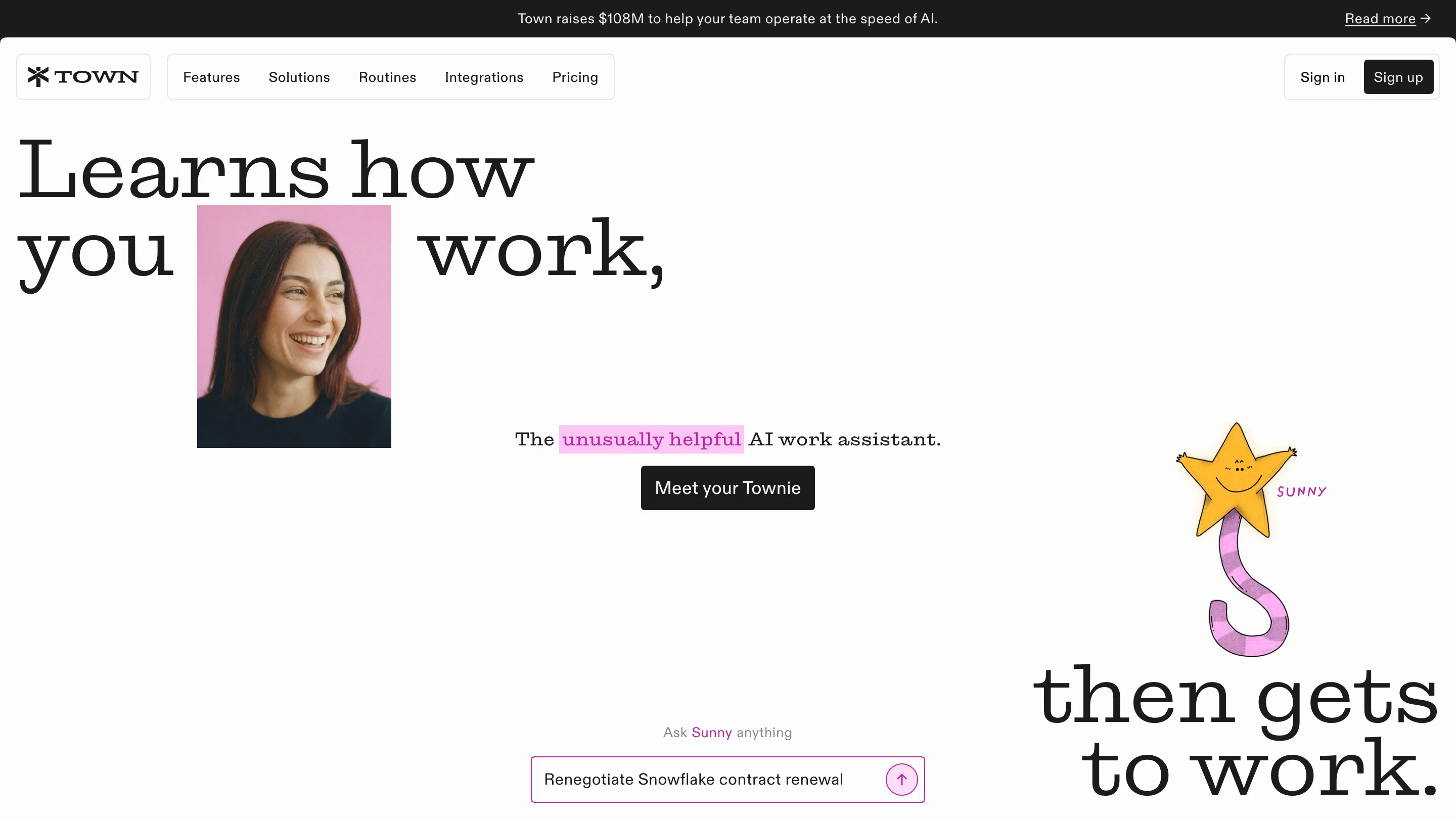
Town sells an AI work assistant, and the first thing it shows you is a hand-drawn yellow star called Sunny with a pink striped tail. That's mascot web design used as product design: every assistant on Town is a character, and the site is built so you meet one before you read a single feature.
Town's homepage reads like a picture book set in a big serif. The headline "Learns how you work, then gets to work" is split across the full width of the screen, with a portrait photo dropped between "you" and "work" and the second half of the sentence parked in the bottom right corner. Sunny sits right above it, labelled in small pink capitals like a figure in a field guide.
How the mascot web design carries the product
The characters are called Townies, and there are a lot of them. Bo is a bear in blue glasses holding a stack of books. Plum is an axolotl. Doug is a dragon, Snap is a lobster, Cliff is a paperclip in a purple cap, Norm is a robot with an orange screen for a face. The homepage names eleven, and the full roster runs past fifty.
That number matters. A single mascot is a logo with legs. Fifty is a cast, and a cast lets the site say something a feature list can't: your assistant is yours, with a name and a face, picked from a crowd. The button under the hero says it plainly: "Meet your Townie".
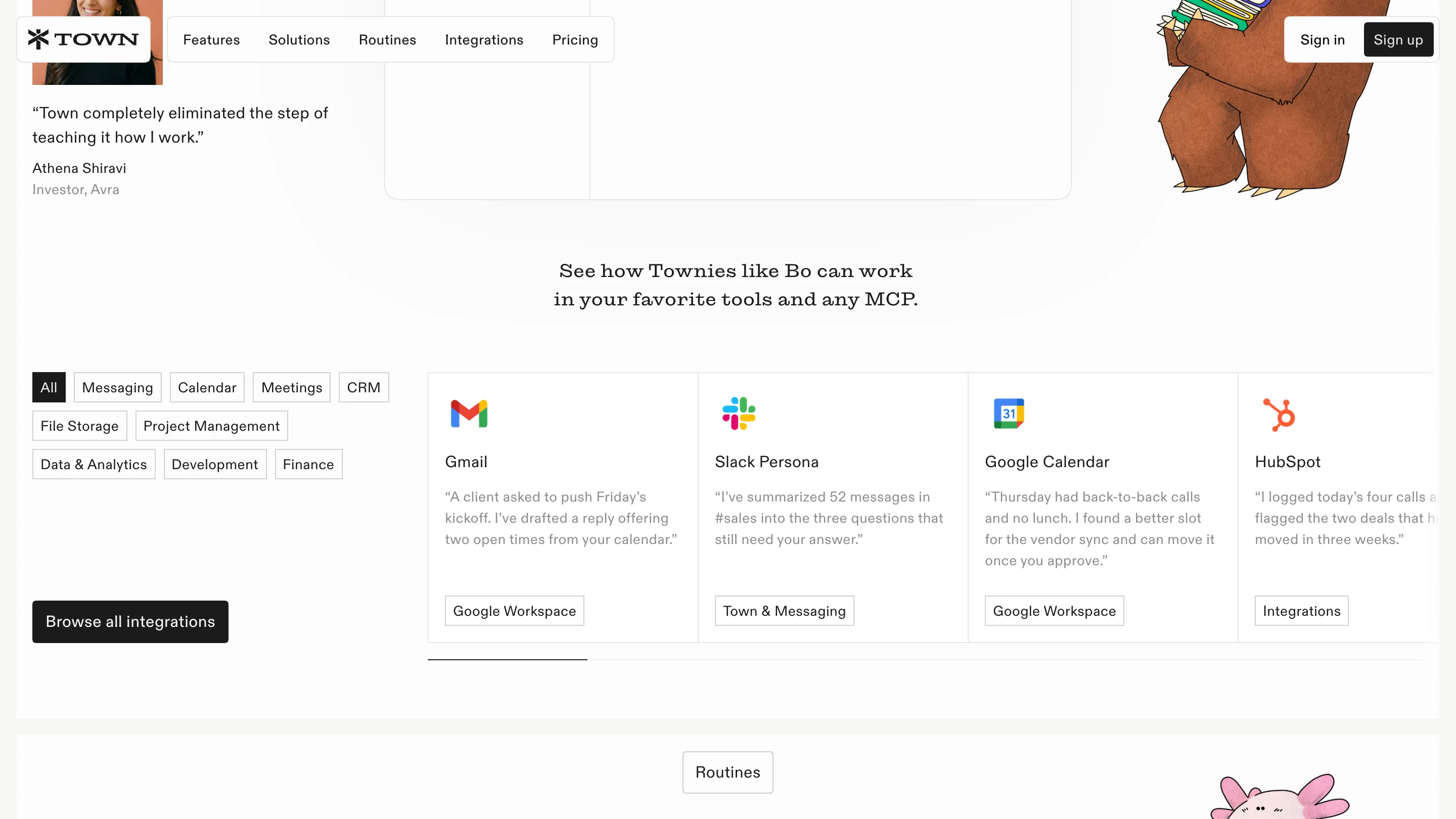
Further down, Bo climbs into the corner of the integrations section while the cards beside him speak in the first person. The Gmail card says "A client asked to push Friday's kickoff. I've drafted a reply offering two open times from your calendar." The HubSpot card logs four calls and flags two stalled deals. Each card is written as something your Townie would tell you, so the character keeps talking even where it isn't drawn.
The drawing style does the trust work
The illustrations are loose and a little wobbly: flat colour with a pencil texture, ink outlines that don't close perfectly, small dot eyes. Nothing about them looks rendered. That's a smart call for a product that reads your inbox and moves your meetings. A friendly, imperfect drawing lowers the stakes of handing over your calendar.
The characters also keep their distance from the interface. They stand at the edges of sections, at the bottom of the dark security block, beside the cards. The UI itself stays plain: thin grey borders, square-cornered cards, black buttons. The illustration gets the personality, and the product screens stay readable.
A serif that sounds like a person
Town pairs a wide, slab-flavoured serif for headlines with a quiet sans for everything else. The serif gives the big lines a voice. "The repeat work, handled." on the routines page reads like a sentence somebody said, set large enough to take the top third of the screen.
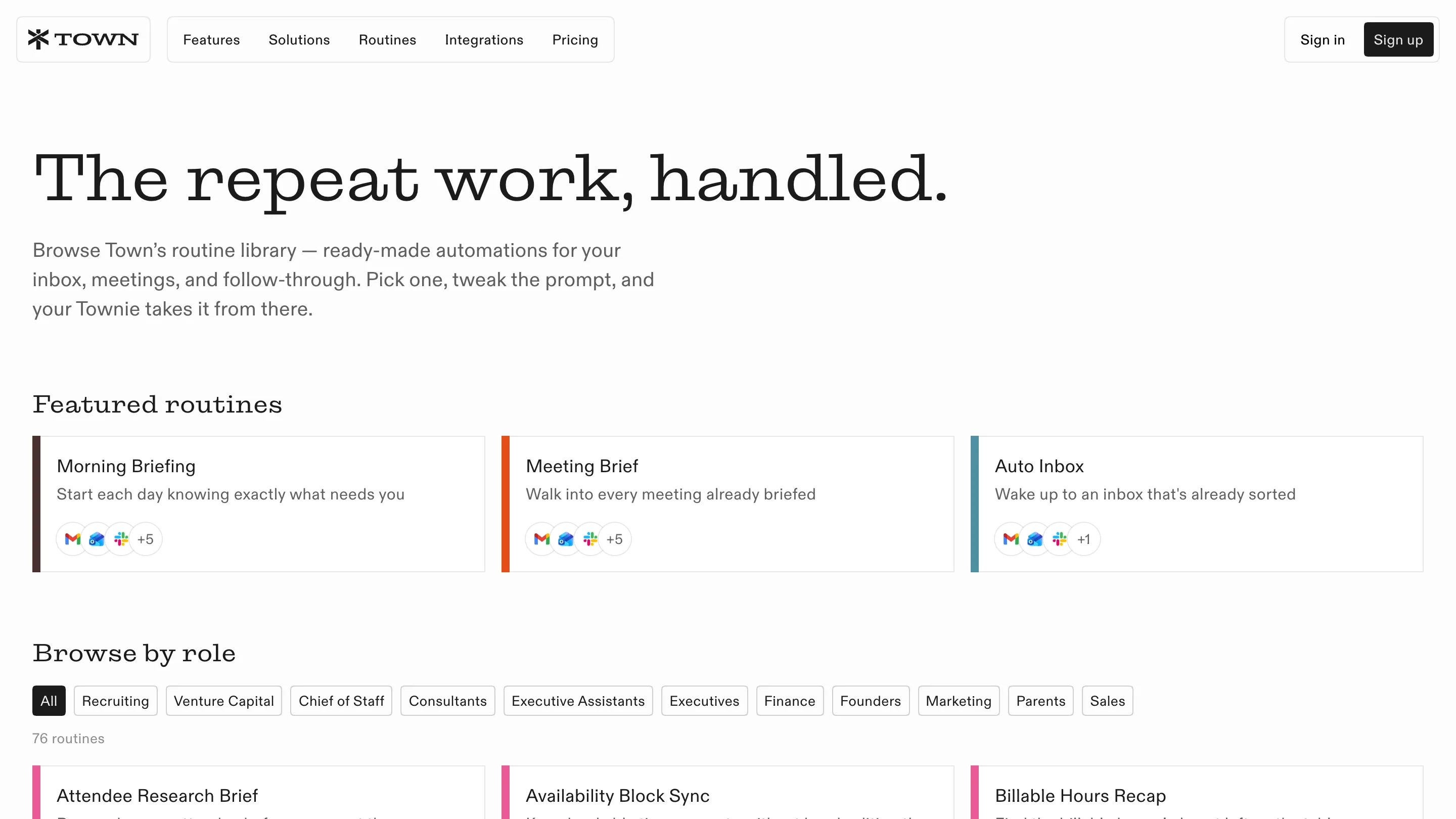
Below it, the routine library is a tidy grid of 76 cards. Each one carries a coloured bar on its left edge, a short promise ("Walk into every meeting already briefed") and a cluster of app icons. Role filters run across the top: Recruiting, Chief of Staff, Founders, even Parents. The page is a catalogue, and it reads like one.
One highlight colour per page
Town marks a single phrase per headline with a flat highlighter block. On the homepage "unusually helpful" sits in pink. On the integrations page "everywhere" gets a pale green band, and the headline reads "Townies work everywhere you do."
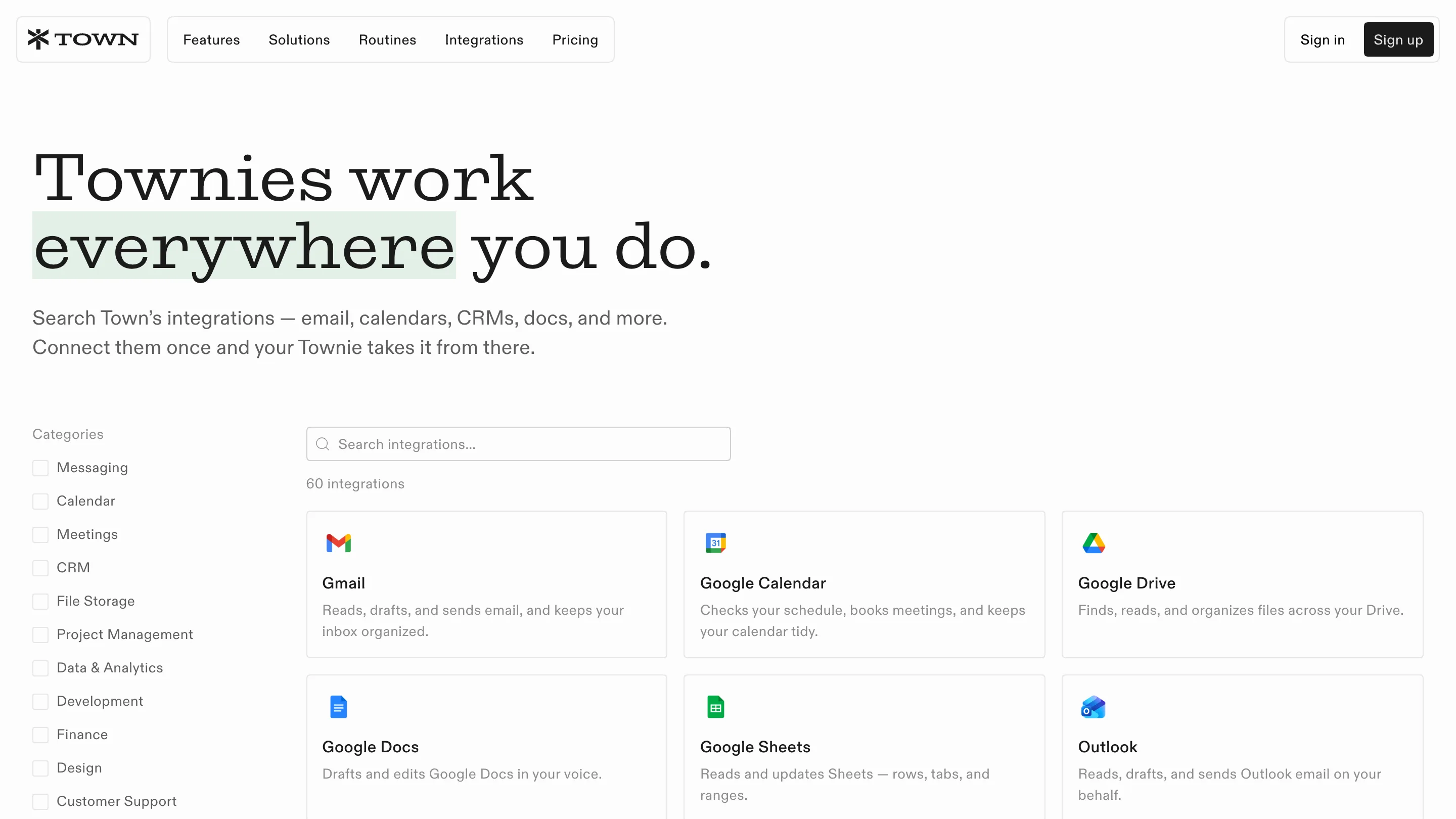
It's a small move with a lot of reach. The highlighter ties back to the hand-made feel of the drawings, and it tells you which word to remember without bold, italics or a gradient.
What to take from it
If your product is invisible, a character gives it a body. Town's site works because the mascots are a system: a large cast, one drawing style, a consistent place on the page, and copy that lets them speak in the first person. Give an AI product a cast with a voice, and the site can sell the relationship before it sells a single feature.
Found on siteinspire, developed by Buena Suerte LLC.