Webflow Localize agentic translation keeps locales in sync
Agentic translation in Webflow Localize re-translates a page each time the source changes. Exclusion rules keep SKUs and codes away from the model.
Webflow Localize can now translate your site on its own and keep doing it. Turn on agentic translation for a target language and every edit to your primary content shows up, translated, in that locale. You stop hunting for the paragraphs that changed since the last pass.
That hunt was the real cost of running a multilingual site in Webflow. Webflow says it plainly in the launch note: standing up a new locale meant working out by hand which content needed translating, and for teams that publish often that added up to thousands of extra clicks. A designer who fixed a headline in English had to remember the French, German and Japanese versions too. Usually somebody didn't.
Two modes: review it once, or let it run
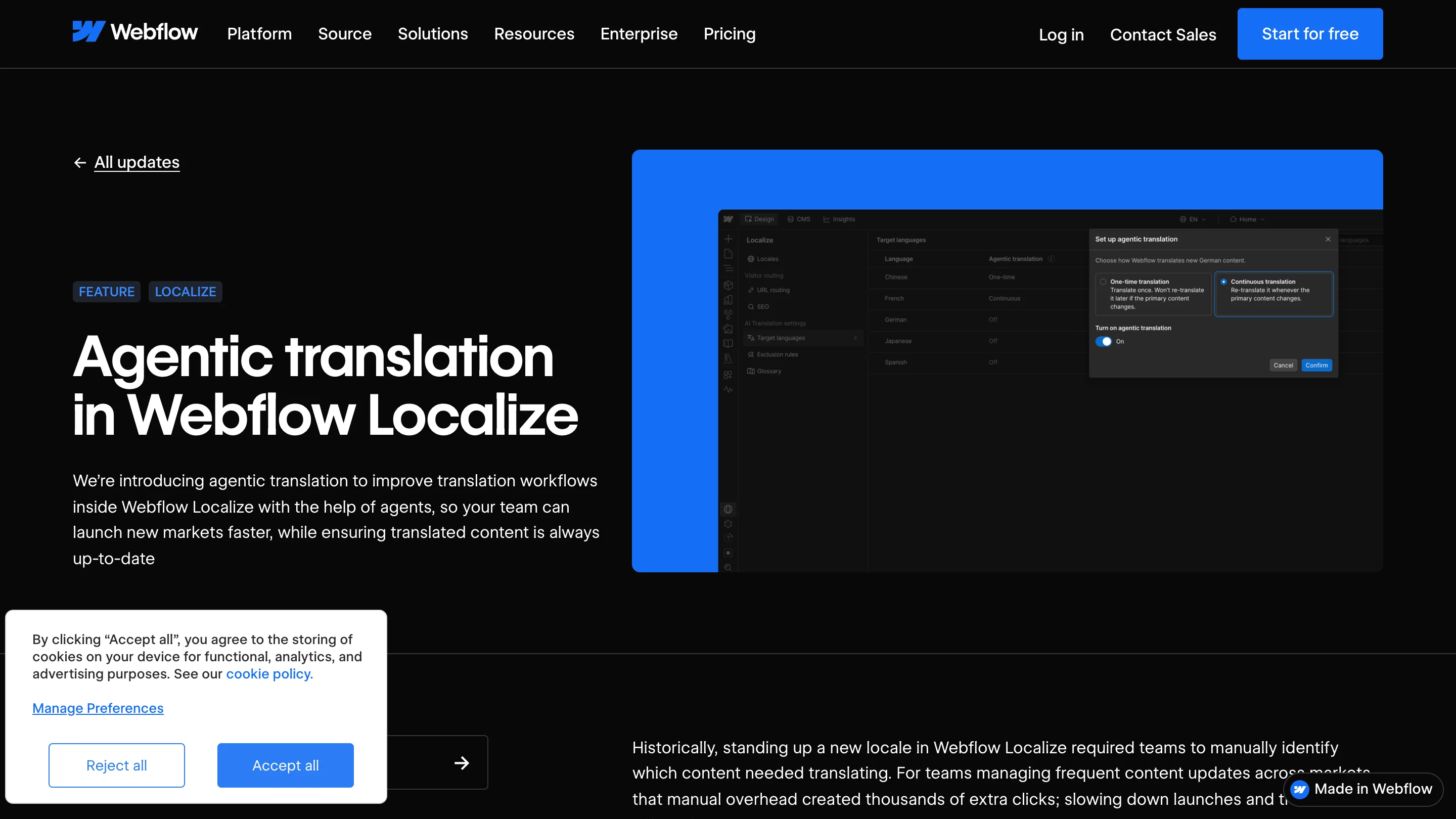
Agentic translation lives in the target language settings, and it asks you one question per language. The dialog in the screenshot puts the two answers side by side.
One-time translation does a single pass and hands it to you for review. It won't touch that content again when the source changes. That's the right pick for a launch page you want a native speaker to read line by line, or a legal page where nobody wants surprise edits.
Continuous translation translates everything once, then follows the primary locale. Change a button label in English and the Spanish label changes too. It reads the tone, formality and glossary you've set for the site, so a brand that writes casually in English doesn't come out stiff in German.
You choose per language. French can run on its own while Japanese waits for a reviewer. That split matches how most teams already work: confident markets on autopilot, sensitive ones checked by a person.
Exclusion rules decide what the model never sees
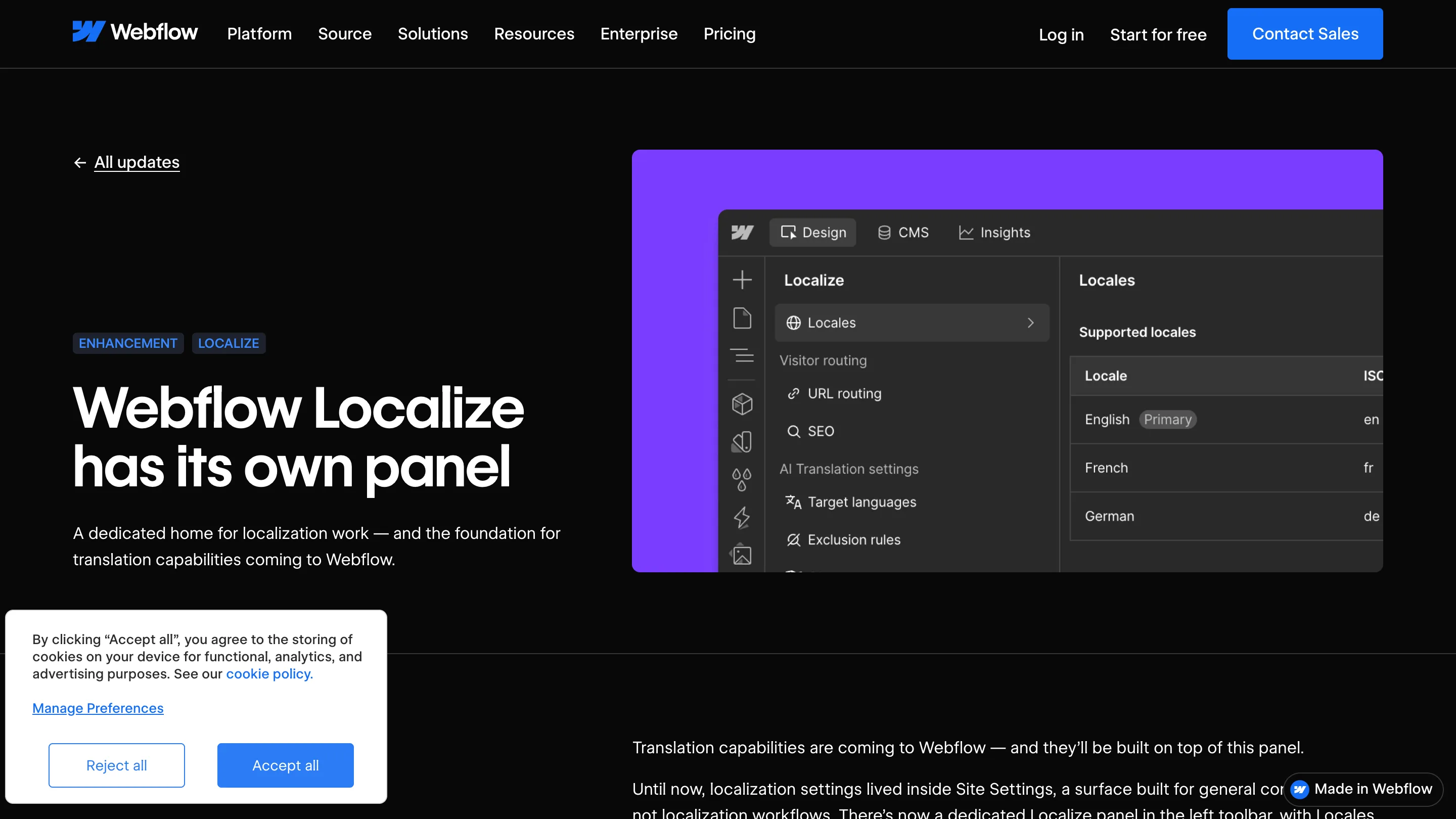
The part designers should look at first is the smallest item in the new Localize panel. Exclusion rules let you mark pages, components, CMS fields and component props that stay out of translation entirely. Webflow is specific about this: excluded content is filtered out before anything goes to a model.
Think of a product grid. The name and description should be translated. The SKU, the size code and the internal reference field shouldn't, and an eager model will happily turn "XL-BLK-04" into something else. Before, you guarded those by hand after every pass. Now you exclude the field once, in the component or the CMS collection, and it stays put on every page that uses it.
This also makes component props worth a second look. If a prop holds a brand name, a product code or a URL fragment, it's a candidate for an exclusion rule. Setting them up early saves a cleanup later.
Translation memory keeps the bill down
Continuous translation could get expensive if every small edit re-ran the whole page. Translation memory stops that. When the source text, the language and the settings haven't changed, Webflow reuses the translation it already has and skips the model.
That matters because translated words count against your Localize plan's word limit, pooled across locales. Past the limit, you can spend AI credits on the extra words. So the cost of the feature follows how much you actually change, which is how a designer would want it.
Where it falls short
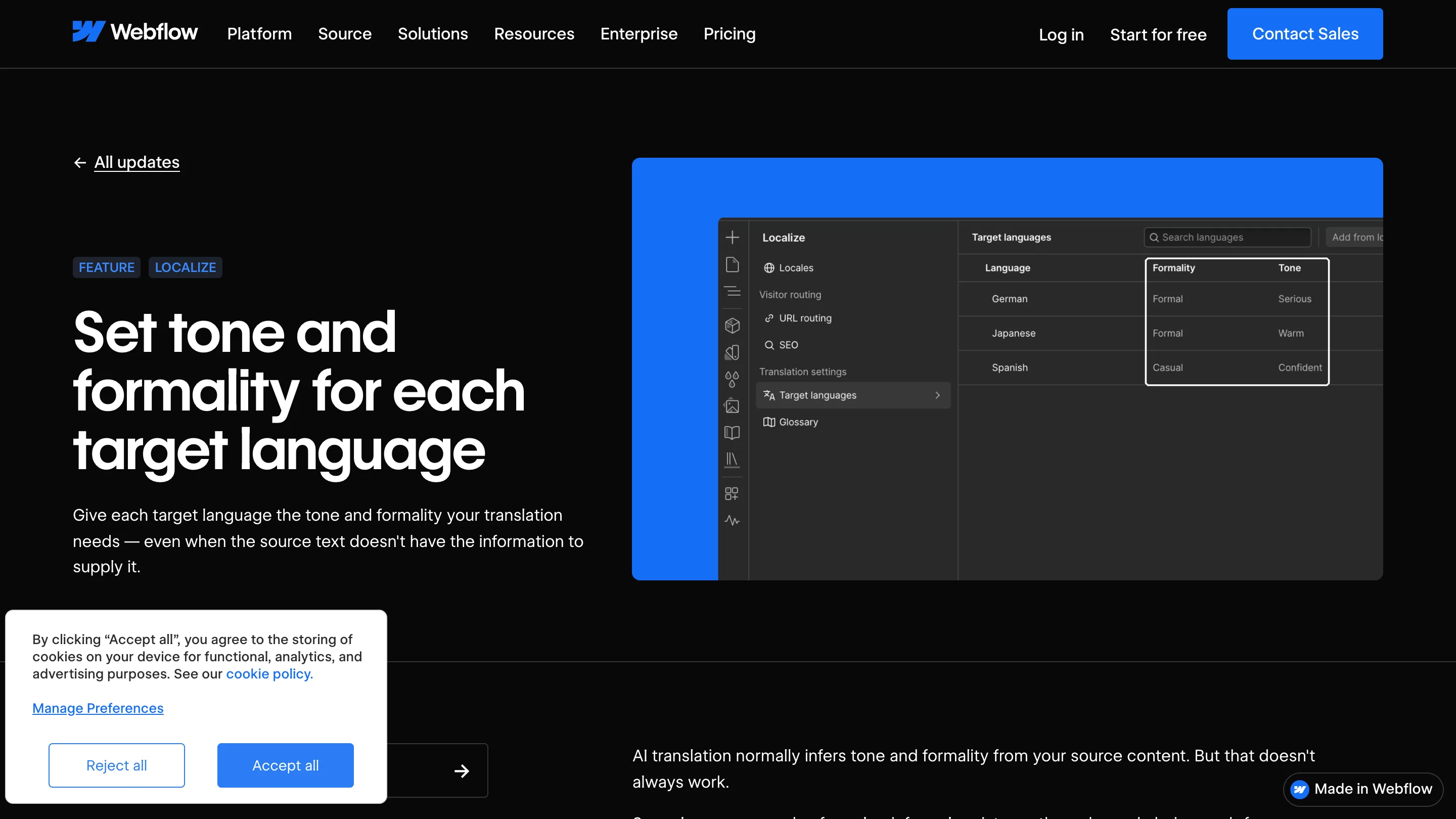
Continuous mode is only as good as the settings behind it. Tone and formality per language arrived in July, and they're what stop a translation drifting toward a flat, neutral voice. They sit on the Advanced Localize add-on or Enterprise, while agentic translation ships on every Localize plan. A team on a base plan gets automatic updates without the controls that keep German formal and Spanish relaxed.
And continuous means unreviewed. A changed headline goes live in every locale with nobody reading it first. For a marketing site that ships small edits all week, that's a fair trade. For a page where one wrong word costs you, keep it on one-time and read it.
Should you turn it on today
If you run a Webflow site in more than one language and someone on your team keeps a spreadsheet of what's out of date, yes. Start with one locale on continuous, add exclusion rules for every code and product field, and leave your riskiest language on one-time review. The rollout began on 29 September and is included in all Localize plans; the setup guide is in Webflow's Help Center.