Paper Shaders open-sources 30 WebGL effects you can drop into any site
The Paper team made its shader library free under Apache 2.0. Thirty-plus animated WebGL effects, zero dependencies, exported straight to React or vanilla JS.
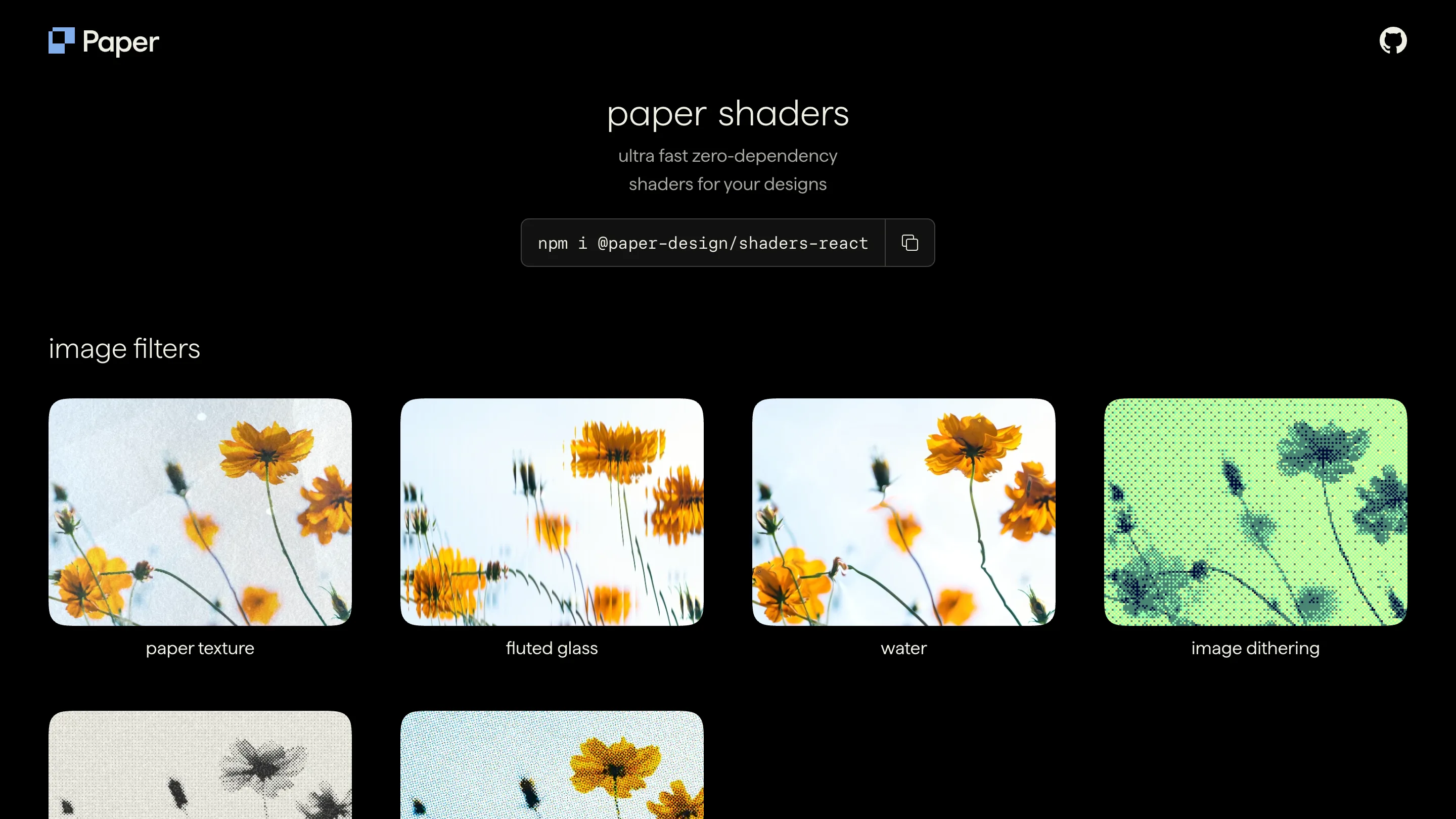
The Paper team open-sourced its shader library this month, and it's the kind of release you can act on today. Paper Shaders is a set of animated WebGL effects, mesh gradients, grain, liquid metal, god rays, that you drop into a site as components. It's now Apache 2.0, free for commercial work, no attribution required. Install it from npm and you have thirty-plus effects running on a canvas in a few lines.
What it actually does
Writing a shader by hand means GLSL, a WebGL context, and a render loop you babysit. Paper hides all of that. You import an effect, pass a few props for color, speed, and scale, and it renders. The library ships two packages: @paper-design/shaders for vanilla JS and @paper-design/shaders-react for React. Zero dependencies either way, so it doesn't drag a physics engine or a 3D framework in behind it.
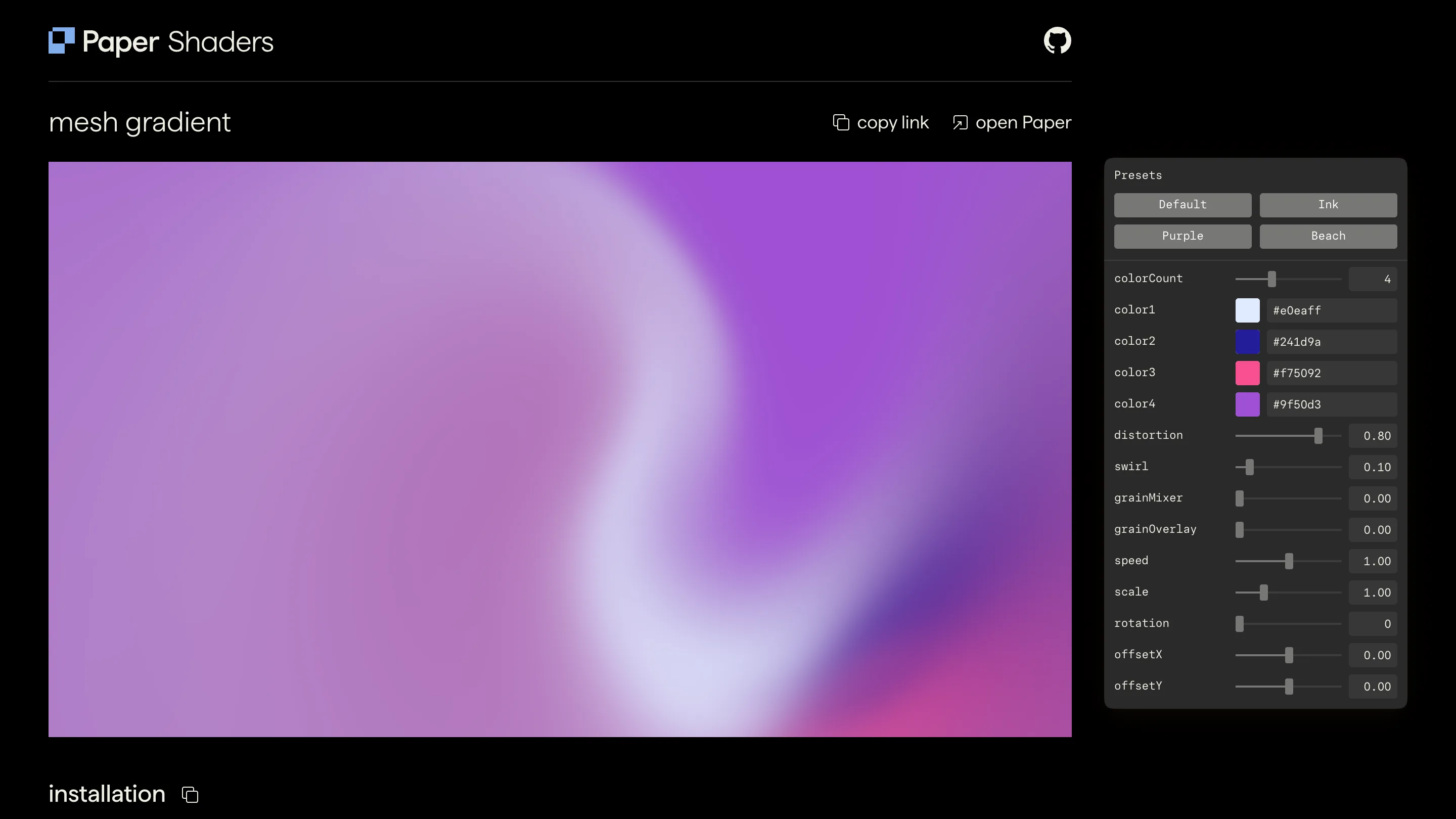
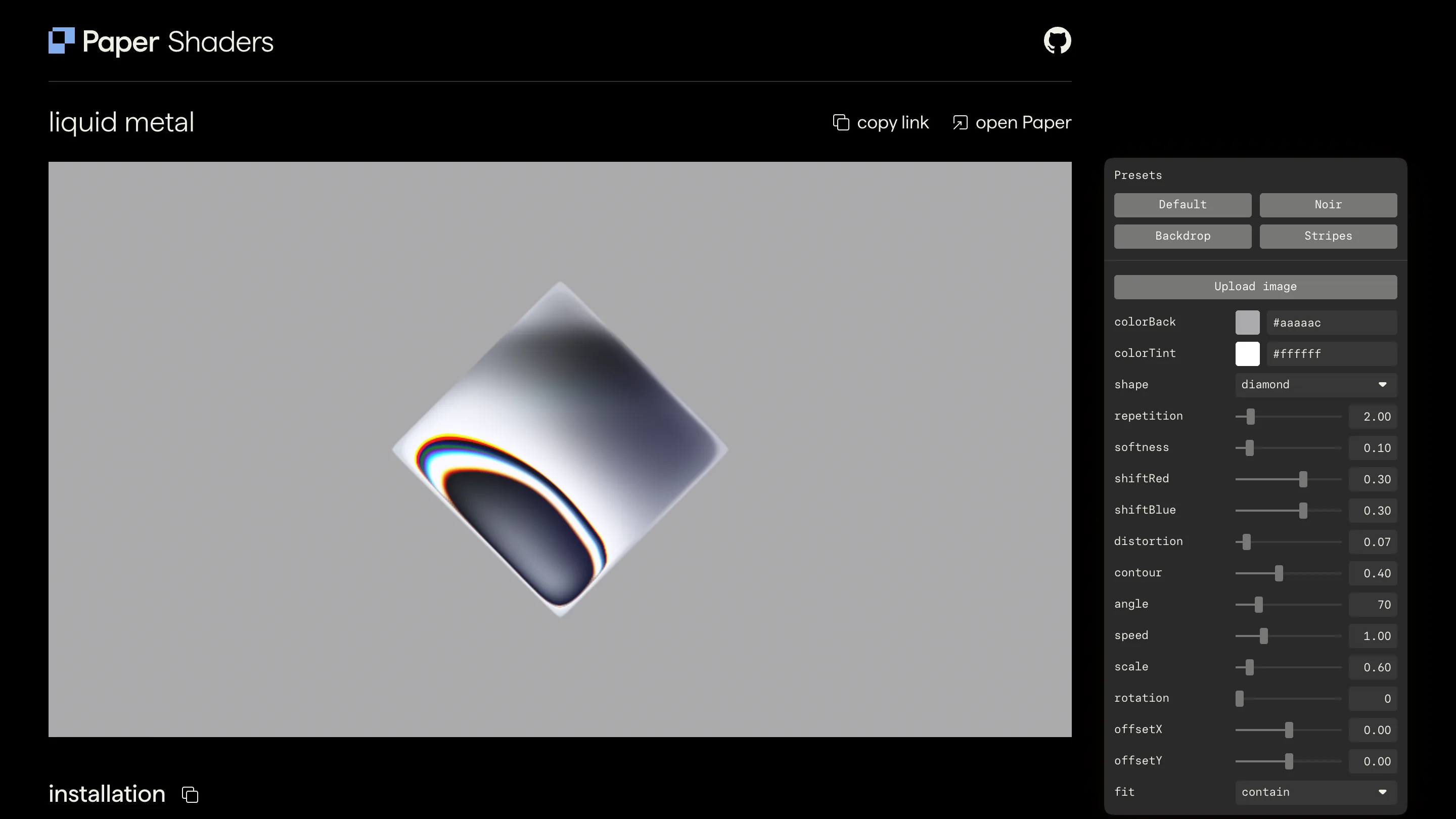
The catalog is broad. Mesh and radial gradients for backgrounds. Grain, dithering, halftone, and paper texture for surface. Warp, swirl, spiral, waves, voronoi, and metaballs for movement. Then logo treatments like liquid metal and gem smoke. Around thirty in total, each with its own page and live controls on the site.
Where it changes the work
The honest version of "designer adds a moving gradient" used to be: brief a developer, wait, get something close, iterate. Or reach for a heavy 3D tool and ship a megabyte of runtime for one background. Paper Shaders collapses that. You tune the effect in the browser, on its page, until it looks right, then paste the exported code. The settings you picked travel with it.
That matters most for the parts of a page nobody wants to overbuild: a hero background, a section divider, a loading state, a logo that breathes. These are the spots where a flat image feels dead and a full WebGL scene is overkill. A single shader component sits right in the gap.
The Paper editor connection
The library is the free half of a bigger tool. Paper is a visual editor where you design the shader, drag its parameters, watch it update, and export lightweight code that runs anywhere. So you get two ways in: write the props in your editor, or dial them visually and copy the result out. Same output, and it isn't tied to their platform. The exported code is plain and portable.
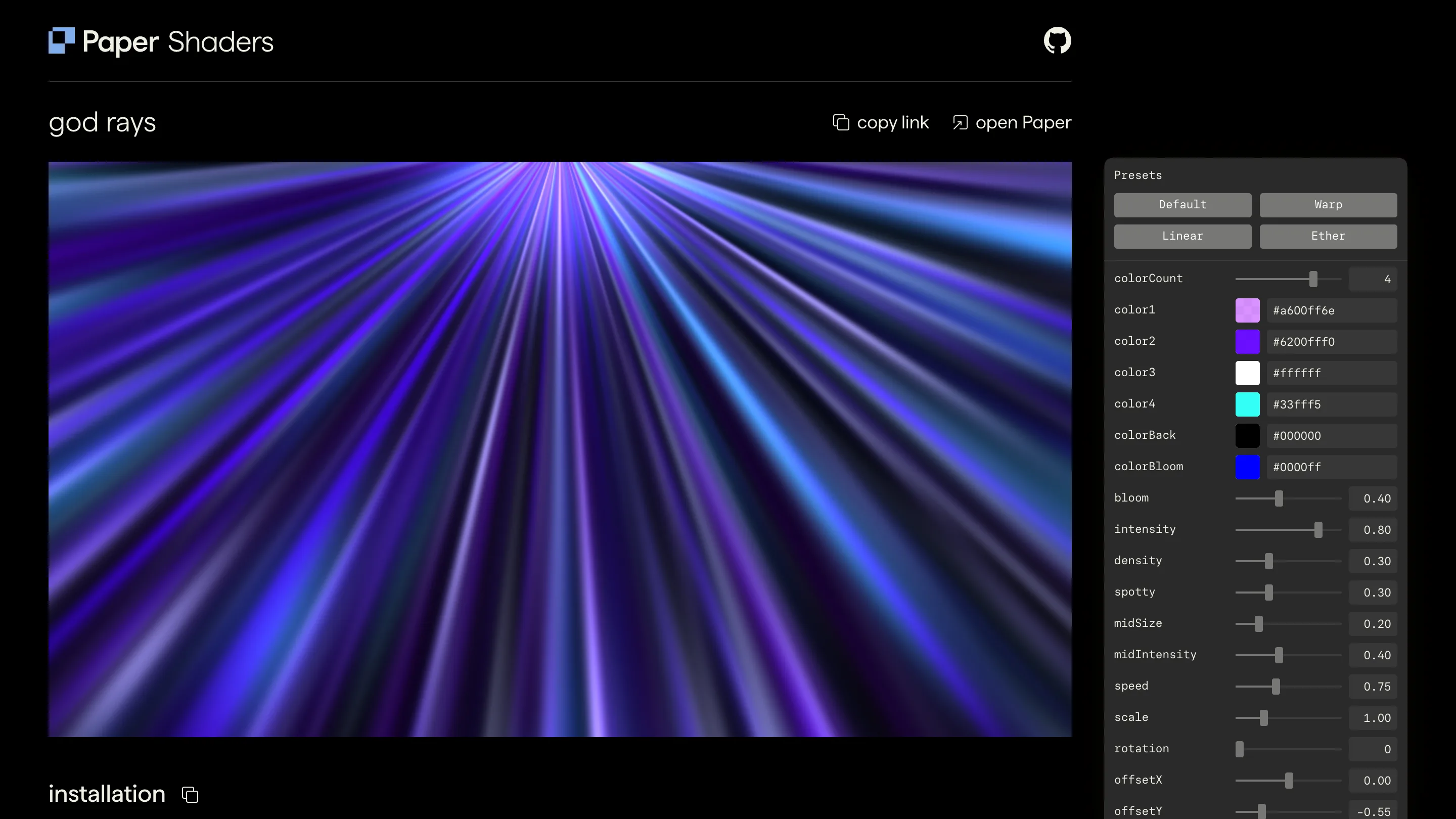
Performance is the pitch they lead with, and it holds up. These run on the GPU through a canvas, not as video files or animated PNGs, so they stay sharp at any size and don't balloon your bundle. On a laptop the god rays and neuro noise effects hold a smooth frame without a fan spinning up.
Worth opening today
The catch is scope. This is texture and atmosphere. It won't give you interaction, and Vue support is still a community PR away. If you need real geometry or pointer events, reach for something else.
For everything short of that, it's a fast yes. A designer who wanted a living background this morning can have one shipped by lunch, tuned to their palette, running in production, costing nothing. Credit to Paper for putting it in the open.