

Making Software's technical illustration labels every part
Dan Hollick's book on how software works draws each idea as a labelled, exploded figure. One blue, a pixel mono and a serif carry 889 of them.
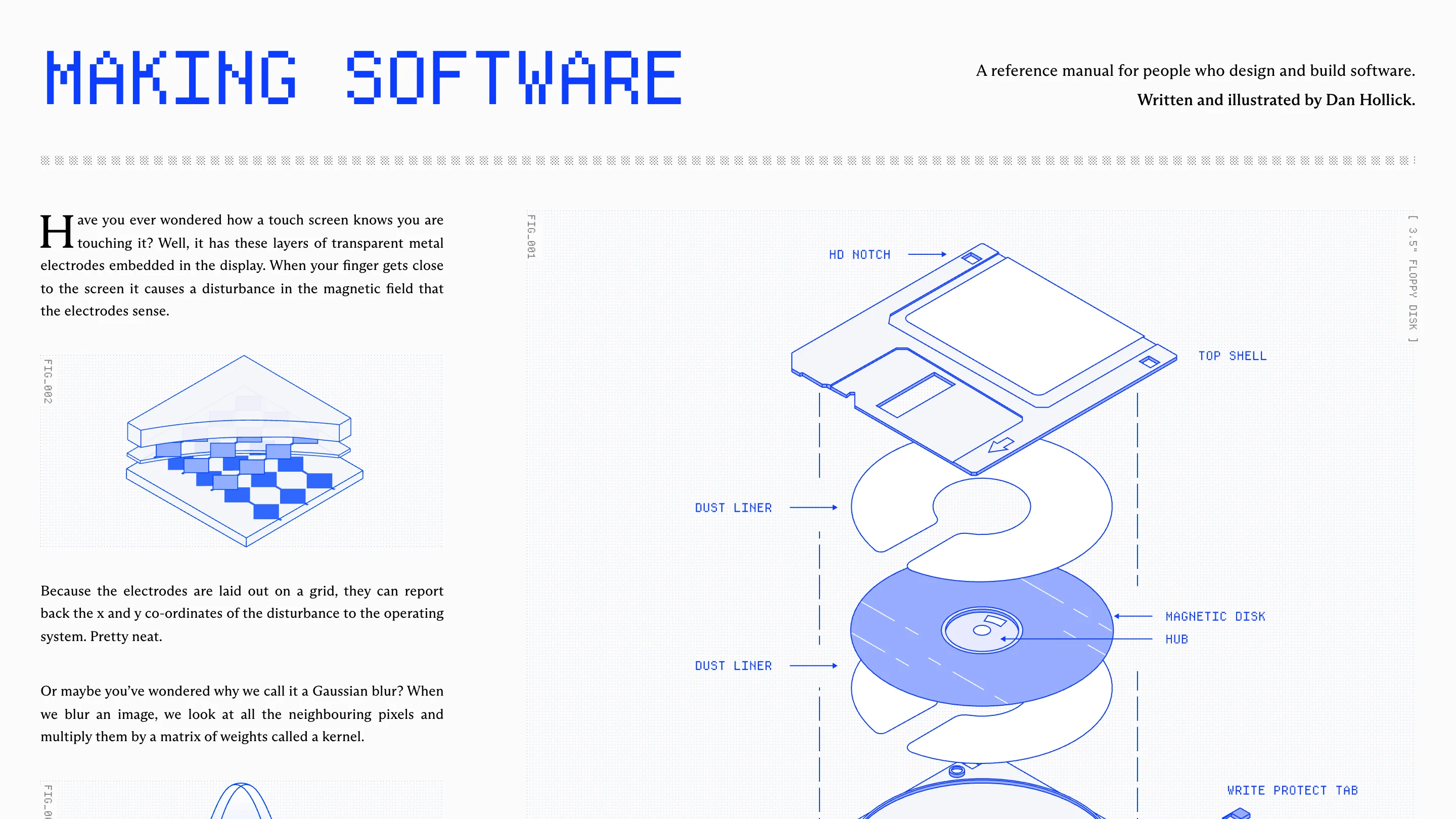
Making Software is a technical illustration website built like a reference manual. It's a book by Dan Hollick about how the things we use every day work, screens and fonts and GPUs and compression, and every idea in it gets an exploded, labelled drawing before it gets a paragraph. 889 figures so far, 39 to a chapter.
The home page opens on a 3.5" floppy disk pulled apart into its layers: top shell, dust liner, magnetic disk, hub, write protect tab. Each part has a thin blue arrow and a label in a pixel mono. On the left, a serif paragraph asks how a touch screen knows where your finger is, and a smaller figure shows the electrode grid under the glass. You understand the site's whole idea before you've scrolled.
Two typefaces with two jobs
The type split is strict, and that's why the pages read so calmly. A bookish serif (the stylesheet names it Arizona) carries every sentence you're meant to read: the intro, the chapter titles, the body copy, the table of contents. Departure Mono, a pixel monospace, carries everything a machine would print: the wordmark, the figure numbers, the part labels, the word counts, the breadcrumbs.
So a reader always knows which voice is talking. "How to make a font." sits in the serif, full stop included. Above it, "6058 WORDS | DAN HOLLICK" sits in the mono, like a spec line on a drawing sheet. The captions follow the same rule: FIG_001, set vertically up the edge of the frame, and [ 3.5" FLOPPY DISK ] © 1986 in the corner, the way a parts catalogue would date its plates.
Technical illustration in one blue
Hollick draws almost everything in a single saturated blue on a pale grey ground. Line weight barely changes from figure to figure, objects are drawn in isometric, and fills are flat tints of that blue. That discipline is what lets 889 drawings look like one set.
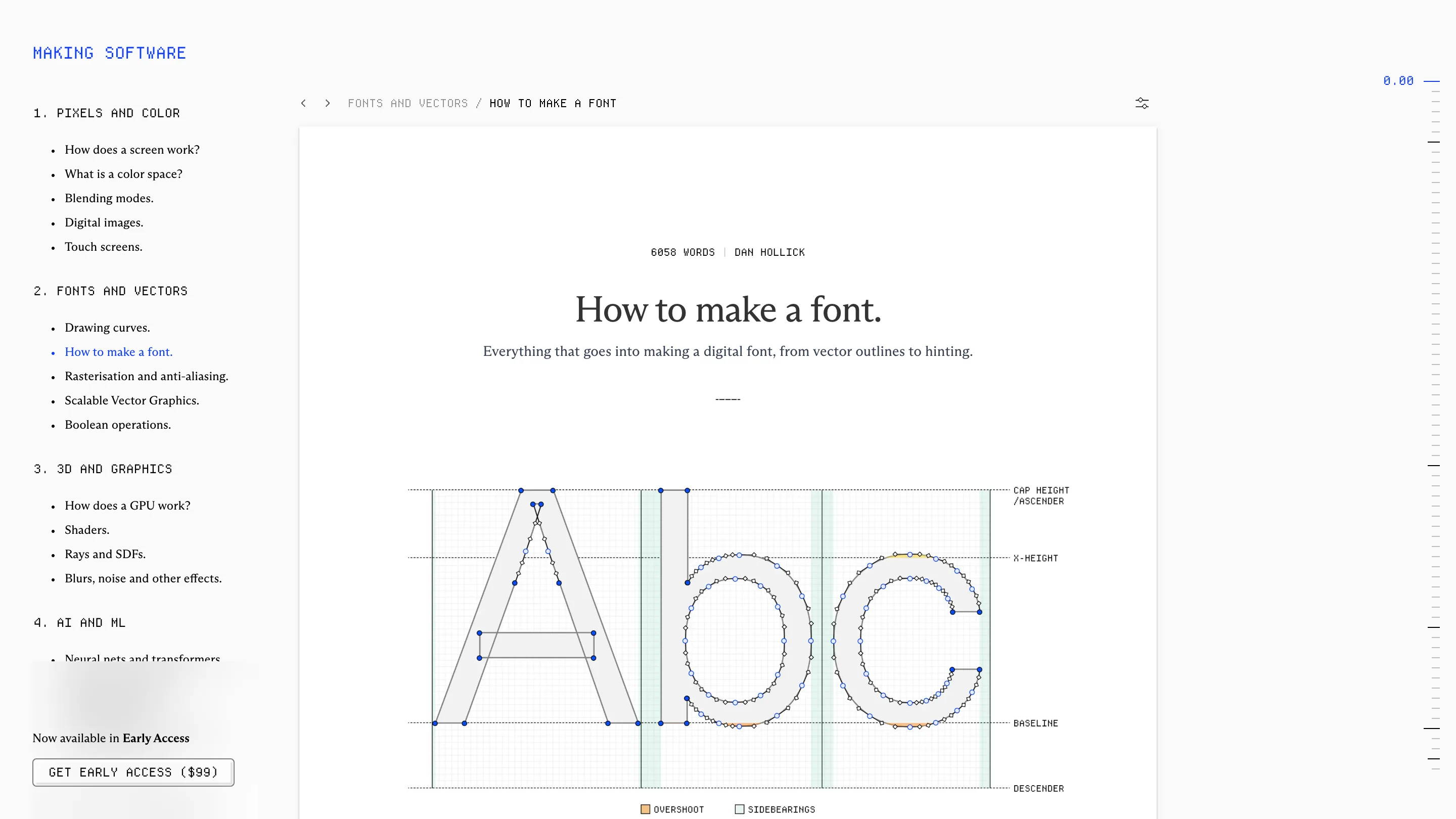
The font chapter shows how far the system stretches. The letters A, b and c are drawn as outlines with every on-curve and off-curve point visible, over dotted guides for cap height, x-height, baseline and descender. Overshoot is tinted orange, sidebearings green, and a two-item legend sits under the drawing. It's a type design lesson you can read in about ten seconds, and it uses the same labelling grammar as the floppy disk.
Colour shows up when the subject needs it. The GPU chapter opens on a full isometric graphics card in green, black and gold pins, and it lands harder because nearly everything around it stays blue.

The chapter page reads like a manual
Chapter pages put the whole book in a left column: numbered section heads in the mono, chapter names in the serif under each. The page itself is a white sheet on the grey ground, centred, with the title, a one-line standfirst and a short dashed rule. Down the right edge runs a ruler of tick marks with a reading position, "0.00", printed at the top.
Inside the text, technical terms carry small superscript numbers (typeface 18, font 7, glyph 8), and the top nav has a full glossary. It's the apparatus of a reference book moved onto the web, and it lets Hollick keep the prose plain without dropping the precise word.
Progress as part of the design
The table of contents is honest about the book being unfinished, and it makes that a feature. A stats block in the mono lists finished chapters (23 of 31), current word count (81.5K), estimated word count (109.8K) and current image count. On the home page the same numbers sit under a progress bar drawn in block characters. Chapters still to come are listed without a word count, so you can see the shape of what's missing.
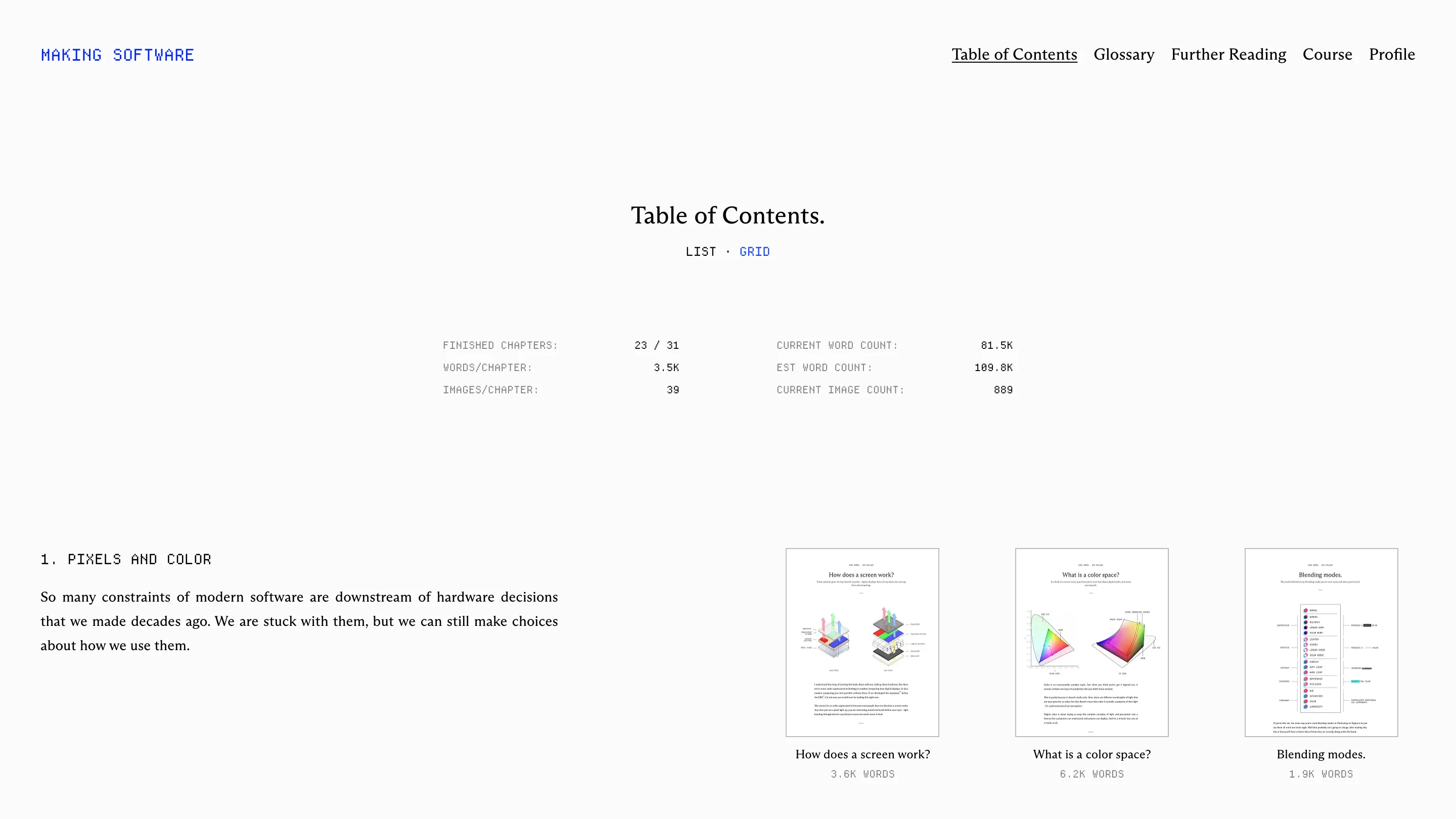
Each chapter also gets a thumbnail of its opening page, title and figure and paragraph at print proportions. The site keeps reminding you it's a book, and the book is $99 in early access.
What to take from it
If you're designing anything that explains, the lesson here is the labelling grammar. Pick one projection, one line weight and one accent colour, give captions their own typeface, and number every figure. After that, each new drawing costs less and the whole set reads as a single voice.
Found on Httpster. Written and illustrated by Dan Hollick, read it at makingsoftware.com.